
Connect the Add-on Builder
The Add-on Builder is its own connector, separate from the ServiceM8 connector. It has its own approval in ServiceM8 and asks for different access: the right to manage add-ons, rather than to read and change your jobs and clients.
You can use either one on its own, or both. With both on the same profile, your AI can look at your real jobs while it designs an add-on, then build it.
Connect it
- In your workspace, open Connectors and choose ServiceM8 Add-on Builder.
- Click Connect. ServiceM8 asks you to sign in, if you aren't already, and to pick the account to use.
- ServiceM8 shows what FloConnector is asking for. Approve it, and you are sent back to FloConnector with the connector showing as connected.
- Open the profile your AI uses, add the Add-on Builder connection, and keep its tools switched on. Or create a profile just for building add-ons.
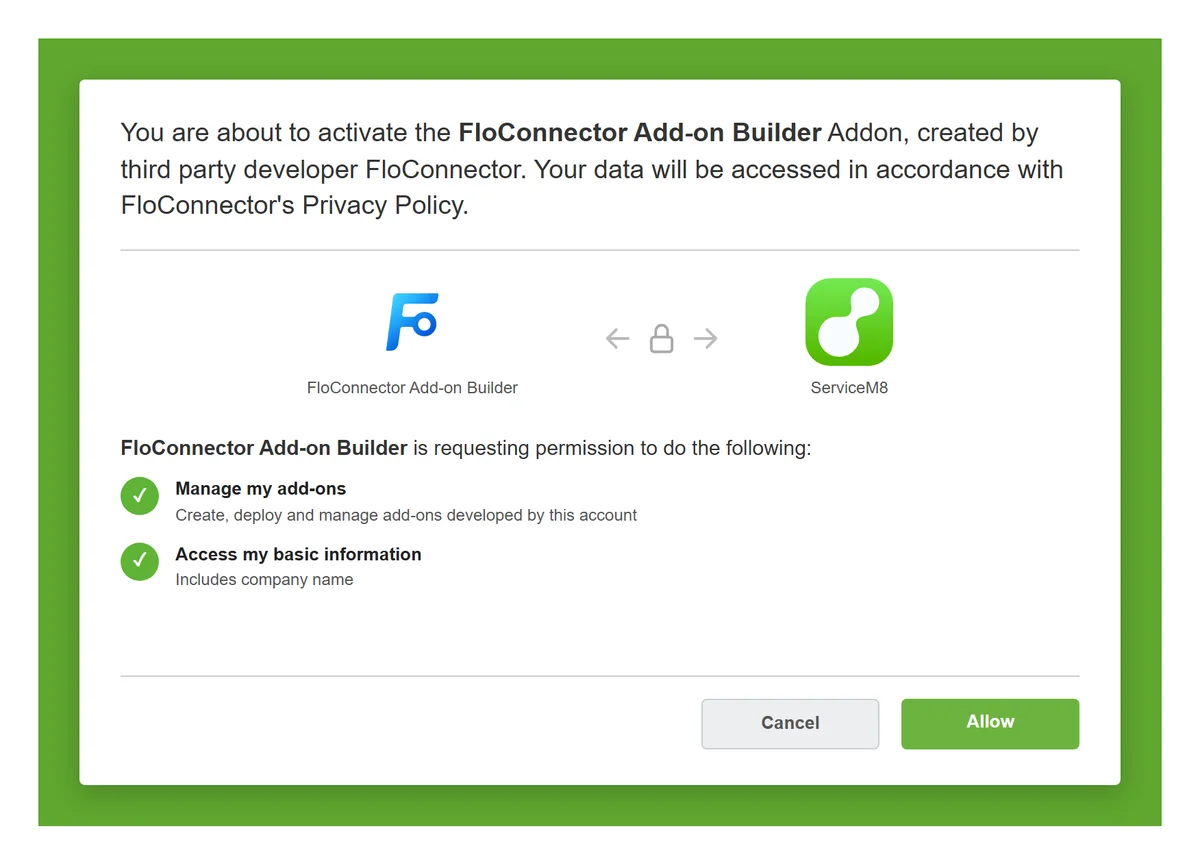
Illustration of ServiceM8's approval screen. Read what it lists before you click Allow.
The connection is to one ServiceM8 account. To build add-ons in a second account, such as a test account and your live one, use a second workspace.
Everything you deploy is live for everyone in the account at once. If you have a ServiceM8 test account, connect the Add-on Builder there first, get the add-on right, then build it again in your live account.
What you are approving
The Add-on Builder asks ServiceM8 for two things:
| Access | Why |
|---|---|
| Manage add-ons | To list the add-ons in your account, deploy the ones your AI builds, read their logs and set their secrets |
| Your business details | To show your business name in FloConnector, so you can tell which account a connection reaches |
Managing add-ons is a powerful permission: an add-on can be given access to your ServiceM8 data, and it runs on its own once deployed. FloConnector keeps that in check:
- An add-on can only ask for access from FloConnector's reviewed list, and the review you see before every deploy says exactly what it will be able to do.
- Your AI can only change add-ons it built through FloConnector. Add-ons from other developers in your account are listed so it knows they exist, and left alone.
- Nothing is deleted. Your AI can switch an add-on off; removing it entirely is done by you, in ServiceM8.
Disconnecting
Disconnect the Add-on Builder from Connectors in FloConnector, or revoke it in ServiceM8. Add-ons that are already deployed keep running, because ServiceM8 hosts them. To stop one, switch it off before you disconnect, or remove it in ServiceM8 afterwards.